Hello friends , welcome to TECHNOBAWA
so , today we are with a big update on google meet..
Latest features of google meet on updated version...
Google has introduced many new features on google meet app which is a best alternative for Zoom app. if you want a post on Google meet VS Zoom just comment and do share nd subscribe the blog..
Google meet is highly used for school online classes and for business meetings online during lockdown.
the new features on Google meet are as follows -
1.Use of Jamboard - Now you can also use Jamboard feature in google meet . to make your meet lessons more attractive.start by preparing your whiteboard for meet lessons in advance and then can share it to all students. students can also share Jamboard but teacher can also restrict them by Present screen setting.
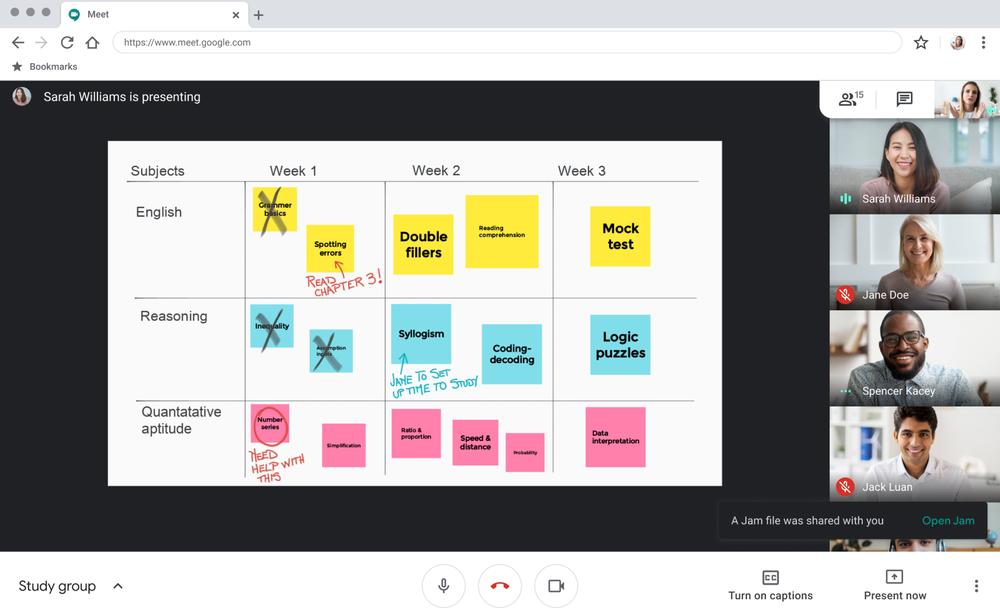
2.Blur background in google meet - You can also blur your background video during your meeting which will improve your video and can also maintain focus of the meeting . to enable this you just have to click on blur background option by clicking on the three dots.

Google meet is highly used for school online classes and for business meetings online during lockdown.
the new features on Google meet are as follows -
1.Use of Jamboard - Now you can also use Jamboard feature in google meet . to make your meet lessons more attractive.start by preparing your whiteboard for meet lessons in advance and then can share it to all students. students can also share Jamboard but teacher can also restrict them by Present screen setting.
2.Blur background in google meet - You can also blur your background video during your meeting which will improve your video and can also maintain focus of the meeting . to enable this you just have to click on blur background option by clicking on the three dots.
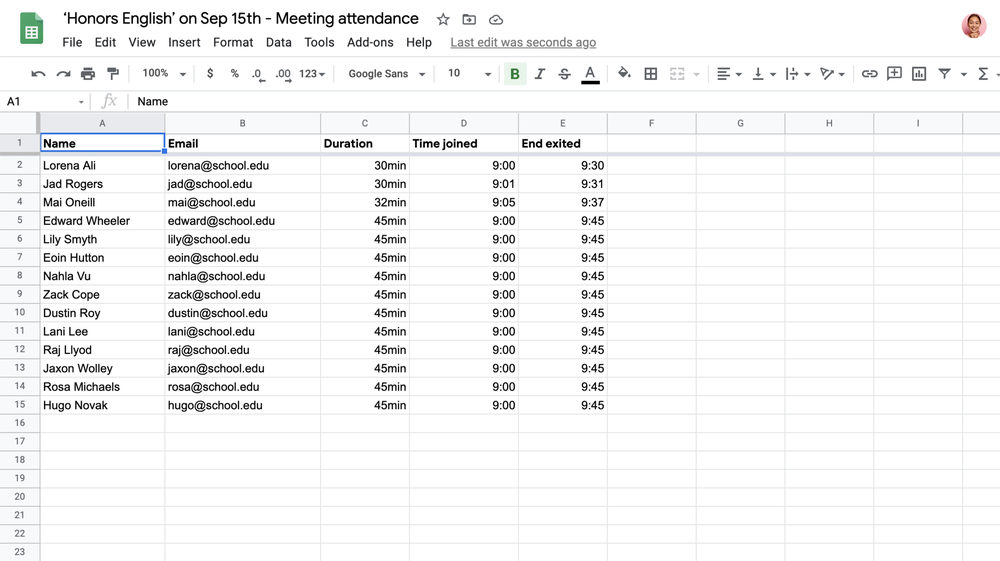
3.Attendance Report - Taking attendance during the online class consumes most of the time but now google had added a very new feature in google meet to save time with attendace report now rolling out over the next few weeks to G Suite Enterprise for Education customers.The report includes each participant’s name, email and the length of time the participant was on call, including initial join and exit time.
Now comes the big question that -
Can you record your meeting video in Google Meet ??
So , Yes you can record your meeting video in google meet to watch that lessons later only when -
1. when you are the meeting organizer.
2. when you are in the same organization as the organizer.
3. when you are a teacher signed in with a google workplace account, but not as a student.
to know.
How to record meetings on Google meet ??
follow our blog and do subscribe to be notified about the new post on how to record meetings on google meet ...
share this post and plz support too .
1. when you are the meeting organizer.
2. when you are in the same organization as the organizer.
3. when you are a teacher signed in with a google workplace account, but not as a student.
to know.
Comments
Post a Comment